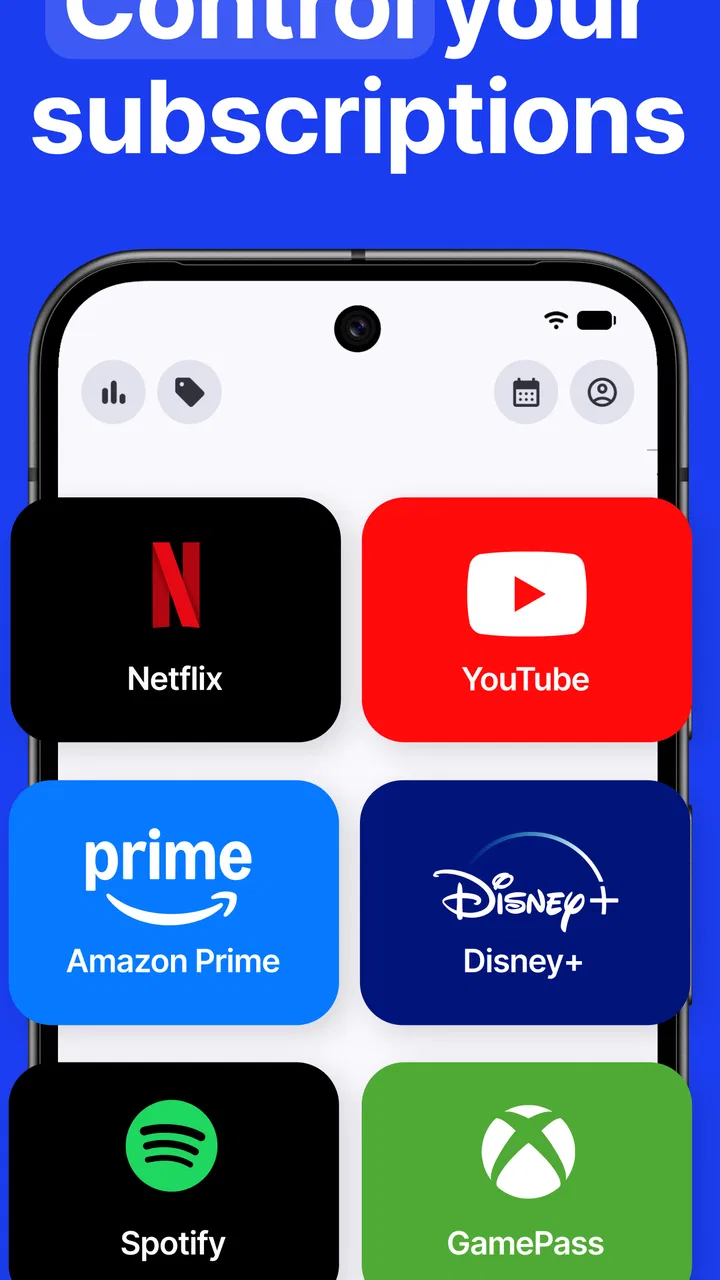
Subscription Manager - ReSubs
- 3.6
- Rating
- 50.00K
- Installs
- Free
- Price

 Analysis by App-foxy
I installed Subscription Manager - ReSubs to see whether it could make the increasingly messy world of recurring payments easier to control. My overall impression is that it is a focused finance app rather than a complete budgeting system: its purpose is to help you notice subscriptions, keep track of them, and decide which ones are still worth paying for. That narrow focus is useful because recurring charges are easy to overlook even when the individual amounts seem small.
The app is developed by Christian Krueger and is available as a free download for Android users. It is rated for Everyone, supports Android 8.0 and later, and its current version is 1.37.0. The listing shows an average rating of 3.6 from roughly 958 ratings, with more than 50K installs. Those figures suggest a modest but established user base, while the middling rating is a good reminder to approach it as a practical tool with some rough edges rather than a flawless financial command center.
How ReSubs approaches subscription control
The central idea is simple: bring recurring services into one place so you can see what is leaving your account and make cancellation decisions before another billing cycle arrives. That makes the app relevant for streaming services, cloud storage, software plans, memberships, and other repeat payments. I found the concept most helpful when treating it as a personal reminder and overview rather than assuming it could replace my bank or card statement.
You May Also Like

 Blood Strike: 2.5 Anniversary
Blood Strike’s Loadouts Turn Every Drop Into a Tactical Gamble
A close look at Blood Strike’s custom loadouts: how fast access to signature weapons reshapes its battle royale rhythm, rewards preparation, and narrows the gap between fights.

 Pandora - Music & Podcasts
Pandora’s Music Is Easy to Start, but Harder to Recover
Pandora’s strength is its low-effort path from a seed to a station. Its weak spot is how much confidence it asks you to place in connection, setup, and quiet recovery.

 8 Ball Pool
 Is Built on Rivalries, Rematches, and Routine
A close look at the rivalries, rematches, shared routines, and unanswered safety questions that turn a quick pool match into a persistent mobile community.

 Samsung Music
’s Quiet Strength Is Playing What You Already Own
Its reach comes less from spectacle than from dependable access to a personal library. That simplicity is both the app’s strongest retention engine and its ceiling.

 AccuWeather: Weather Radar
AccuWeather Review: A Quick, Clear Forecast for Everyday Decisions
For everyday plans, the best forecast is the one you can understand quickly. AccuWeather makes rain timing, radar, and local conditions easy to act on, with a few trade-offs.

 Hill Climb Racing
Why Hill Climb Racing Still Turns Crashes Into One More Run
A tiny car, a bumpy hill and one more upgrade: Hill Climb Racing keeps resurfacing because its simple chaos makes every near-miss feel personal.
More From Our News Desk
View All News


That distinction matters. A subscription manager is only as useful as the information you give it and the attention you pay to it. ReSubs can help organize your awareness, but it should not be treated as proof that every recurring charge has been detected automatically. Your bank, card provider, email receipts, and app-store purchase history remain important sources when you are hunting for forgotten payments.
The store summary presents the app as a way to track, manage, and cancel subscriptions while finding charges you may have forgotten. In practical terms, I would use that promise as a workflow: first collect the recurring services you know about, then compare the list with recent financial statements, and finally use the resulting overview to decide what stays. The value comes from turning scattered information into a deliberate review habit.
What the free download actually means
ReSubs costs nothing to download, which makes it easy to test without committing money at the start. That free entry is important for this type of app because the first question is not whether it looks polished, but whether its organization fits the way you personally handle recurring payments. You can try the basic experience before deciding whether it deserves a regular place in your financial routine.
The listing also shows in-app purchases ranging from $1.99 to $49.99 per item. I would not interpret that range as a promise that every useful function requires payment, nor would I assume that one purchase unlocks everything. The sensible approach is to inspect the purchase screen inside the app and identify exactly what a paid item covers before confirming anything. The free download is clear; the precise value of each optional purchase should be judged at the moment it is offered.
This is especially relevant when comparing ReSubs with alternatives. A spreadsheet may cost nothing but demands more setup and discipline. A bank app may already show transactions without charging separately, but it may not give you a dedicated subscription review workflow. A full budgeting app can offer broader financial planning, yet may feel excessive if your only goal is to identify recurring services. ReSubs sits between those choices: more purpose-built than a spreadsheet, but narrower than a complete money-management platform.
Where the app can save real effort
The strongest use case is the monthly or quarterly subscription audit. I would open the app with a recent card statement, search for repeat charges, and record each service with enough detail to recognize it later. The point is not simply to create a list; it is to make the list useful when a renewal arrives. A vague entry such as “video service” is less helpful than a clear name paired with the amount and renewal timing you actually need to check.
A second useful workflow is the trial-to-paid handoff. When I start a free trial, I would add it immediately rather than trusting myself to remember the end date. That turns a temporary decision into something visible during the next review. The app is most valuable here as a memory aid: it can help me ask whether I still want the service before the trial becomes an unnoticed recurring charge.
A third, less obvious use is separating subscriptions that are genuinely monthly from payments that merely feel recurring. Some annual plans, installment arrangements, and irregular memberships can be confused with ordinary monthly services when reviewing a bank statement. I would keep those categories distinct in my own records so that a low monthly estimate does not hide a larger annual renewal. This kind of careful classification is not glamorous, but it prevents misleading totals.
Families and shared households may also benefit, although the usefulness depends on how consistently everyone reports their services. One person can maintain the list, but that list will not reveal a partner’s or housemate’s subscriptions unless they contribute the information. ReSubs can support a household conversation about recurring costs, but it cannot solve the social problem of incomplete disclosure.
Finding forgotten charges without creating false confidence
When I hear that an app can help find forgotten charges, I think of it as a comparison exercise rather than a magic scan. I would review several months of statements, look for merchants that repeat under slightly different names, and check whether app-store billing or payment processors make a familiar service appear unfamiliar. A subscription manager becomes much more reliable when paired with that manual cross-check.
This also helps with cancellation. Some subscriptions are billed directly by the service, while others are handled through a mobile platform or a different payment provider. The route for ending them can vary. I would use ReSubs to identify what needs attention, then follow the billing source shown on the receipt or account page. That extra step prevents a common mistake: removing an item from a tracking list and assuming the payment itself has stopped.
For the same reason, I would keep confirmation emails or cancellation receipts until the next statement is checked. If a charge appears again, the record gives you something concrete to investigate. ReSubs can organize the task, but the final proof is still the absence of a new charge or a clear cancellation confirmation from the company that bills you.
The practical trade-offs
The app’s focused purpose is also its main limitation. Someone who wants investment tracking, debt planning, cash-flow forecasting, bill negotiation, or detailed category budgets will probably need a broader finance app. ReSubs is better suited to one recurring problem: understanding and reviewing subscriptions. Choosing it as a replacement for a full budgeting system would create expectations it may not be designed to meet.
There is also an unavoidable maintenance cost. If you add a service once and never update its amount, billing cycle, or status, the overview can become stale. Prices change, plans are upgraded, trials expire, and people forget to remove services they have already cancelled. I would schedule a short review after checking my statements, because the app’s usefulness depends on keeping its records honest.
Manual organization can feel like extra work at first. That is the trade-off compared with relying only on a bank feed: you spend time creating a clearer personal record in exchange for a view that is shaped around subscriptions rather than all transactions. If you dislike entering or checking information, ReSubs may not feel rewarding. If you are willing to invest a few minutes in setup, the same effort can make future reviews faster.
The 3.6 average rating also makes me cautious about recommending it universally. A rating in that range does not tell me which individual issues affected other users, but it does suggest that expectations should be realistic. I would install it, test the workflow with a small set of subscriptions, and only then decide whether it handles my needs comfortably. That is a better approach than moving every financial record into it immediately.
Who is most likely to benefit
I would recommend ReSubs to someone who has accumulated several digital services and keeps postponing a cleanup. It is particularly suitable for people who recognize charges only after seeing them on a statement, or who start trials and later struggle to remember their renewal dates. The app’s value is highest when the problem is not mathematics but visibility and follow-through.
It can also suit a person who already uses a spreadsheet but wants a more dedicated place for subscription reviews. A spreadsheet remains more flexible for custom formulas and household budgeting, while ReSubs may feel more direct for the narrower task. I would choose the app when I want less setup than a self-built system, and choose the spreadsheet when I need complete control over structure, calculations, and long-term financial history.
I would be less enthusiastic for someone who has only one or two recurring services and already checks every bank statement carefully. In that situation, installing a separate manager may add another place to maintain without solving a meaningful problem. I would also point heavy budgeters toward a broader finance tool if they need a complete picture of income, debt, savings, and spending categories rather than subscription oversight alone.
People who expect automatic discovery of every charge should also slow down before relying on it. The safest method is to use the app alongside statements and receipts, especially during the first setup. That approach answers an important practical question: yes, it can help you organize known and suspected subscriptions, but you should verify the list yourself before assuming it is complete.
My recommendation after using it
My verdict is positive but measured. Subscription Manager - ReSubs is worth trying if recurring payments are scattered across several services and you want a dedicated review process without immediately paying for access. Its free download lowers the risk of testing it, while the optional purchases mean you should examine the exact paid offering before deciding whether it adds enough value for your situation.
I would begin with a small audit: gather recent statements, enter the services I recognize, mark trials and annual renewals carefully, and compare the result with receipts. After that, I would use the app before each planned subscription review rather than opening it randomly. This workflow gives it a clear job and makes it easier to notice whether it is genuinely saving time.
My buy-or-skip advice is straightforward: try it if forgotten renewals are costing you attention or money, but skip it if your bank app and existing budget already give you a reliable subscription overview. I would not pay for an optional item until the free experience proves that the app fits my habits and the purchase description clearly explains what extra value it provides.
In the end, ReSubs is not a substitute for checking statements or understanding where a cancellation must be completed. It is a focused companion for turning recurring charges into a list you can review and act on. For that specific job, it has a sensible place among finance tools. Just keep the records current, verify cancellations at the billing source, and remember that the best result comes from the routine you build around the app.
FAQs for Subscription Manager - ReSubs
01What is Subscription Manager - ReSubs used for?
Subscription Manager - ReSubs is designed to help you organize and monitor recurring payments in one place. You can add services such as streaming platforms, software plans, memberships, and other subscriptions, then review their prices, billing cycles, renewal dates, and estimated spending. It is especially useful if you regularly forget renewal dates or want a clearer overview of how much your subscriptions cost each month or year.
02Can I use Subscription Manager - ReSubs to cancel subscriptions?
The app is primarily intended for tracking and managing subscription information rather than directly canceling services on your behalf. Cancellation normally has to be completed through the provider’s website, app store, or account settings. ReSubs can still be helpful by showing which subscriptions are active and reminding you when a payment is approaching, allowing you to decide which services you want to keep before the next renewal.
03Does Subscription Manager - ReSubs connect to my bank account or detect payments automatically?
Users should check the app’s current permissions and feature description before downloading, because subscription tracking apps can differ in how they handle financial data. If ReSubs relies on manual entries, you will need to add subscription names, prices, and renewal dates yourself. Avoid assuming that it can automatically read bank transactions, and only grant access to sensitive information when the feature is clearly explained and necessary.
04Is Subscription Manager - ReSubs free to download and use?
The download may be free, but availability of all features can depend on the app’s current pricing model. Some subscription managers offer optional premium tools, advertising removal, advanced reminders, additional customization, or backup features through in-app purchases. Before confirming a purchase, review the store listing carefully for trial periods, recurring charges, and subscription terms so you understand what is included in the free version.
05What information should I prepare before adding my subscriptions?
For the most accurate results, prepare the name of each service, its current price, billing frequency, next renewal date, and the payment currency. It can also help to record whether the subscription is monthly, yearly, or tied to a custom billing period. Do not enter passwords, full card numbers, or other unnecessary private credentials; the app should only need details required to track your recurring expenses.
Pros
- Tracks recurring subscriptions in one organized dashboard.
- Supports renewal reminders to help avoid unexpected charges.
- Makes monthly and yearly spending easier to compare.
- Useful for identifying forgotten or rarely used subscriptions.
- Simple interface suitable for quick expense reviews.
Cons
- Some features may require a paid upgrade or subscription.
- Manual entry can be time-consuming when adding many services.
- Currency and regional billing support may vary by location.
- Reminder accuracy depends on keeping subscription details updated.
- Limited value if you only manage one or two subscriptions.

Subscription Manager - ReSubs
Gallery